How to change Flyback's colour and app icon
Pick an accent and it flows through the app, your widgets, your watch and your Home Screen icon. Here's exactly how.
Flyback 2.0 introduced accent themes: five colours that recolour the whole app in a tap, each with a matching Home Screen icon. This is the short version of how to switch, what changes, and what you need.
The quick version
- Open Flyback and tap the You tab in the bottom bar.
- Tap Personalize.
- Tap the accent you want — Volt, Blue, Orange, Red or Yellow. The app recolours as you watch.
- iOS shows a one-time alert to confirm the new app icon. Accept it, and you're done.

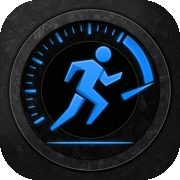

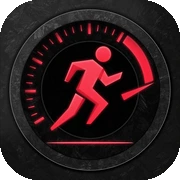

What changes when you change your accent
An accent is more than the Today screen. Choosing one recolours, all at once:
- The whole app — the goal ring, your trends, the streak flame and every metric.
- Your widgets — Home Screen and Lock Screen widgets pick up the new colour.
- Your Live Activity — a walk in progress on the Lock Screen and Dynamic Island turns with it.
- Your Apple Watch — the ring, step count and streak on the watch match the colour you chose on the phone.
- Your Home Screen icon — Flyback swaps to the icon that matches the accent.
Does the app icon really change on the Home Screen?
Yes. Each accent has its own icon, and Flyback asks iOS to switch to it when you pick a colour. iOS shows its standard "You have changed the icon for Flyback" alert the first time — that's expected, and tapping to accept is all it takes. Choose Red and the Home Screen icon goes red; choose Volt to return to the original lime.
How often can I change it?
As often as you like, at no cost in performance — the accent is just a preference. Try one for a week, switch on a whim, or match it to a new watch band. Setting it back to Volt restores Flyback's original look and icon.
Do I need Flyback Premium?
Volt, the default, is free for everyone. The other four accents — Blue, Orange, Red and Yellow — and their matching icons are part of Flyback Premium, along with month, year and all-time trends, the streak heatmap, personal records and adaptive goals. Premium is $3.99/month or $29.99/year with a 7-day free trial. You'll see the full palette in Personalize either way, so you can preview before you subscribe.
Will it sync to my widgets and watch automatically?
Yes — there's nothing extra to set. When you choose an accent, Flyback refreshes your widgets and relays the colour to the Apple Watch app, so everything lines up on its own. If a widget looks a beat behind, it will catch up on its next refresh.
That's the whole thing. For the wider story behind the update, read Flyback 2.0: make it yours, or see the full tour on the app page.