Flyback vs the Health app: where your steps deserve to live
They're not rivals. One is a vault; the other is a front door. Here's how to think about using both.
First, the most common misconception: Flyback and Apple's Health app aren't competitors, and Flyback isn't "more accurate." It can't be, because they read the same number. Your iPhone records your steps into Apple Health, and Flyback reads that same history. Any step counter worth trusting does.
So this isn't accuracy vs accuracy. It's a vault vs a dashboard.
What the Health app is great at
The Health app is the system of record for everything your iPhone and its accessories measure: steps, heart rate, sleep, medications, cycle, dozens of metrics. It's private, free, already installed, and it's the source everything else reads from. If you need to look up a specific figure or export data for a doctor, it's exactly right.
What it isn't is a daily habit. Your step count lives three taps deep (Browse → Activity → Steps), in a dense chart, with no single goal to hit, no streak, and no glanceable number. It's built to store everything, not to make one thing feel rewarding.
What Flyback adds on top
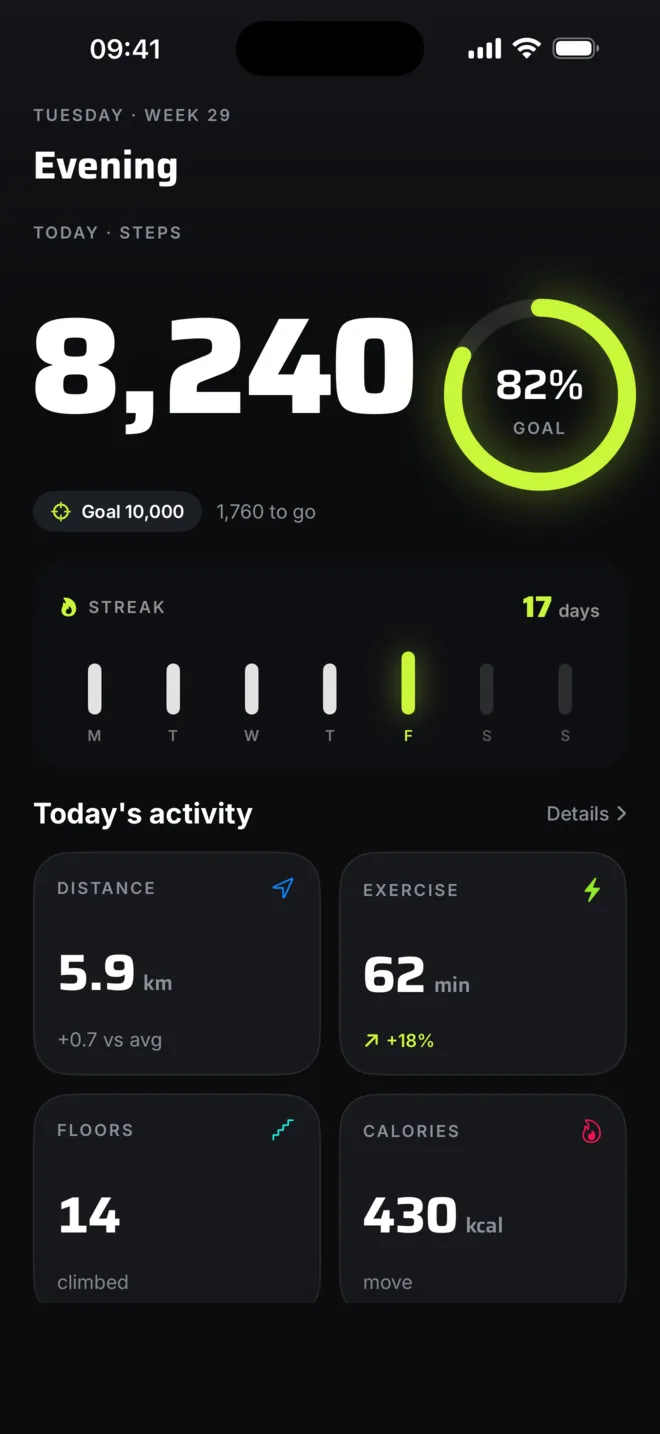
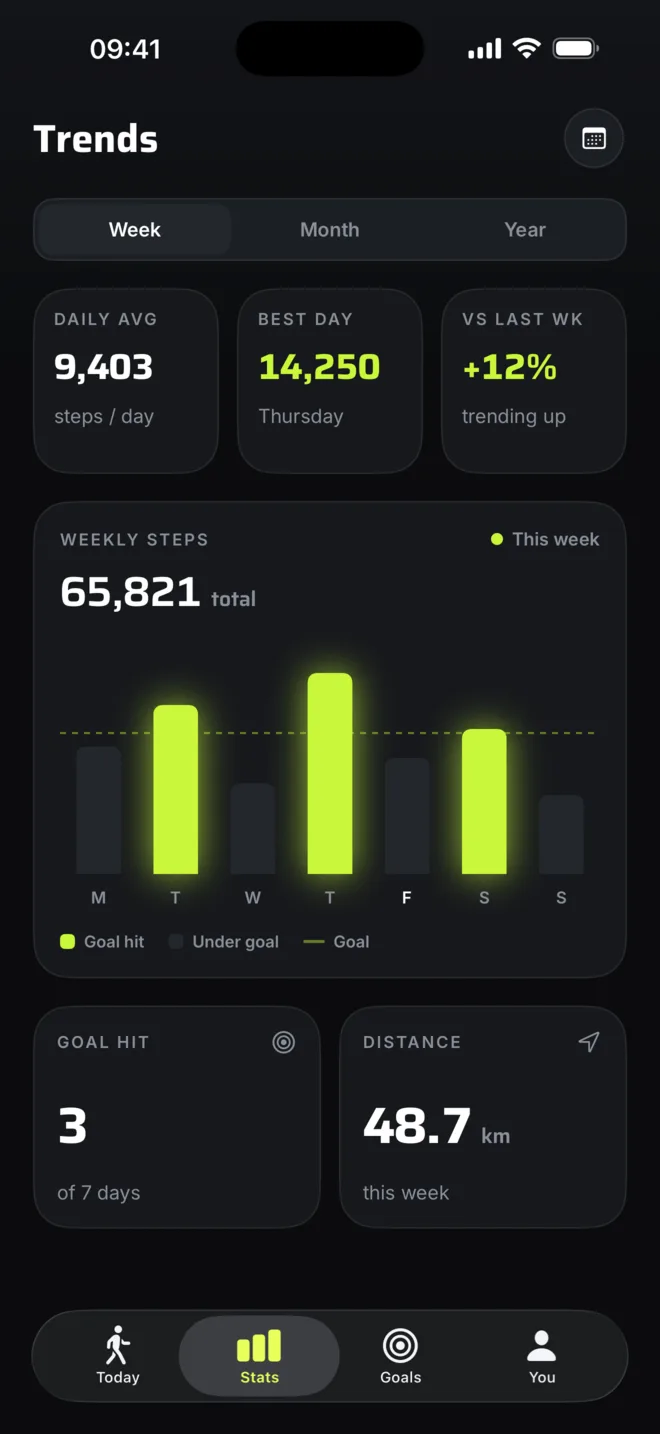
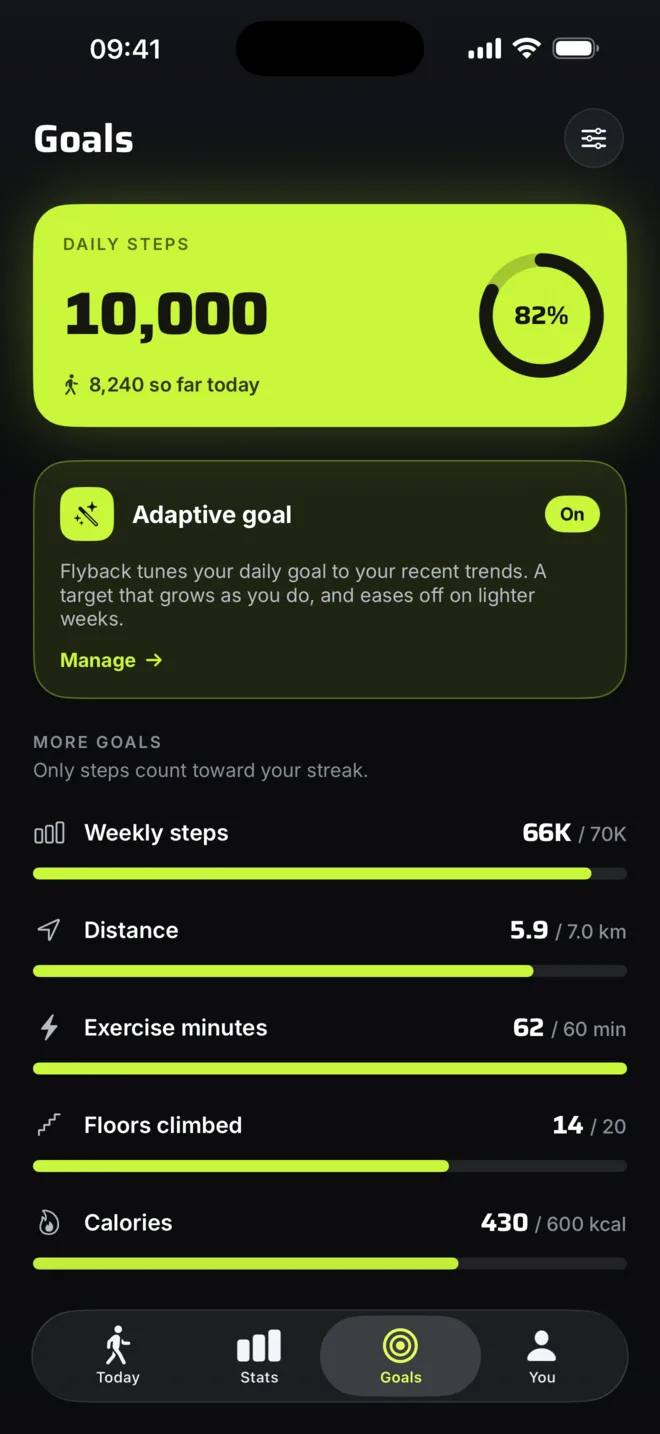
Flyback does one slice of Health, steps and daily activity, and makes it a screen you'll open. Today's count fills the screen with a goal ring; your week shows up as goal-coded bars; a streak counts only the days you actually hit your goal; goals can adapt to your trends; and badges, records and monthly challenges give you a reason to take the long way home.
Side by side
| Apple Health app | Flyback | |
|---|---|---|
| Step data source | System of record | Reads Apple Health |
| Accuracy | Same underlying data | Same underlying data |
| Today's number | Three taps deep | Fills the screen, with a ring |
| Step goal | No dedicated step goal | Flat or adaptive, per metric |
| Streaks | None | Goal-based, with repairs |
| Badges & records | Limited (awards) | 18 badges, monthly challenge, personal records |
| Trends | Charts you dig for | Week / month / year, goal-coded |
| Widgets | Basic | Home & Lock Screen, plus Apple Watch |
| Live walk tracking | Via Fitness/Workout | Motion-chip walk, Dynamic Island, no GPS |
| Privacy | On device | On device, no account, nothing uploaded |
| Price | Free | Free; Premium for long-range extras |
So which should you use?
Both. Keep the Health app as your vault, where all your data belongs. Add Flyback as the screen you open to see how today is going, whether you kept your streak, and how the week is shaping up. Because Flyback reads from Health, there's nothing to migrate and nothing to duplicate: turn it on, grant read-only access, and your history is already there.
New to all this? Start with how to count steps without an Apple Watch, or see the full Flyback tour.