How to count steps on your iPhone without an Apple Watch
You don't need a watch, a band, or a subscription to know how much you walk. Your iPhone has been counting the whole time.
Your iPhone counts your steps on its own. Since the iPhone 5s, every iPhone has carried a small motion coprocessor, the M-series chip, that quietly logs your steps, walking and running distance, and flights of stairs whenever the phone is with you. It runs all day, needs no Apple Watch, and barely touches your battery, because it sits apart from the main processor.
So if you thought you needed to buy something to track your steps, you don't. You just need to find the number your phone already keeps, and put it somewhere you'll look.
Where your steps already live: the Health app
Every step your iPhone counts is saved into Apple Health. To see today's count:
- Open the Health app (the white icon with the red heart).
- Tap Browse at the bottom right.
- Choose Activity, then Steps.
There's your day, your week, and as far back as you've owned the phone. Tap the D / W / M / Y tabs to zoom out, and scroll a chart of every day on record.
The catch: it's data, not a dashboard
The Health app is a brilliant vault and a poor dashboard. Steps sit three taps deep, mixed in with dozens of other metrics. No daily goal to aim at, no streak to keep, no single number you can read in a second, just a dense chart you have to go looking for. Most people check it once, think "neat," and never open it again.
That's the gap a step counter app fills. It reads the exact same Health data, so it's just as accurate, and turns it into something you'll open every day.
Make it glanceable
This is why we built Flyback. It reads the steps your iPhone already records and shows today's count as one big number inside a ring that fills as you close on your goal, your week in goal-coded bars, and a streak that counts only the days you actually hit your target. No Apple Watch required: it works on iPhone alone. If you do have a watch, there's a watch app and complications too.
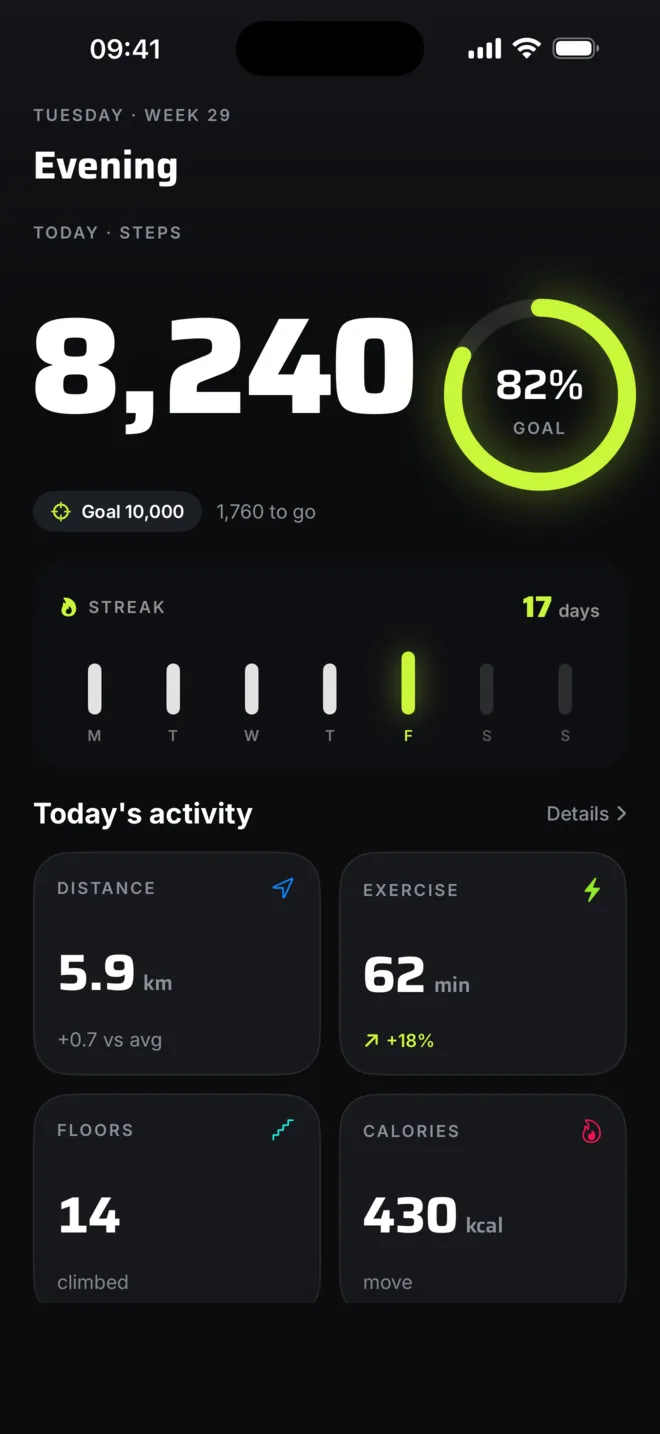
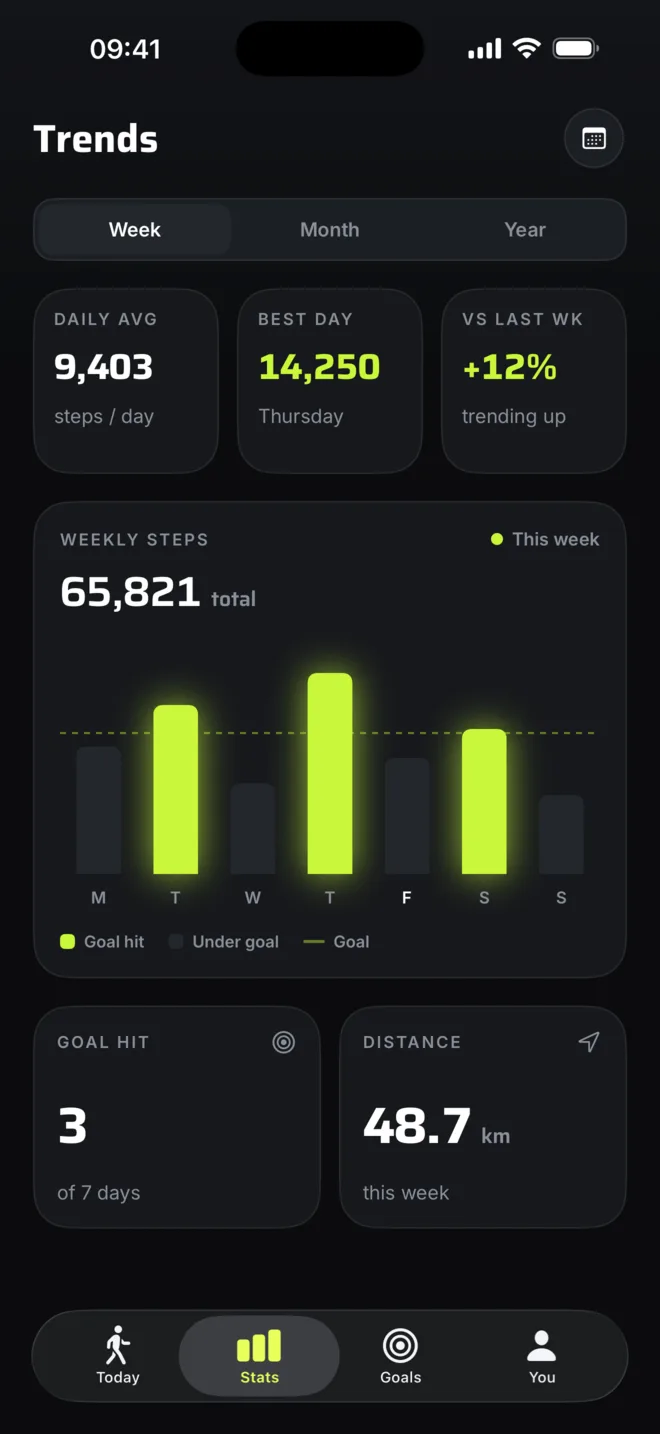
Add a Home Screen or Lock Screen widget and you don't even open the app. Today's steps sit right on your screen, which is the whole point: having the number is one thing, using it is another.
A few tips to count more accurately
- Keep the phone on you. Steps count whenever the phone moves with you, in a pocket, a bag or your hand. The only ones it misses are steps you take while the phone sits on a desk.
- You don't need to keep an app open. Counting happens at the system level and saves to Health all day. Apps like Flyback read that history when you open them, so nothing runs in the background.
- Don't worry about battery. The motion chip is always on and tiny, so step counting doesn't meaningfully affect battery life.
- Give permission once. The first time you open a step app, it asks to read from Apple Health. That read-only handoff is what lets it show your number. Flyback never writes anything back.
What about tracking a specific walk?
Daily totals are the passive number. To track a deliberate walk, with live distance, pace and cadence, you still don't need GPS or a watch. Flyback's walk tracking runs on the same motion chip and shows live stats on your Lock Screen and in the Dynamic Island, with no location prompt and no battery hit.
You already own the pedometer
Your iPhone counts your steps with no watch and no extra gear, and the number is in the Health app right now. All that's missing is a nicer front door, and that part is free.
Want the fuller comparison? Read Flyback vs the Health app, or our pick of the best step counter apps for iPhone.