The best step counter app for iPhone in 2026
Nearly every step counter reads the same number from your iPhone. So the best one isn't about accuracy. It's about what it does with that number.
Most round-ups skip the part that matters: on iPhone, step counting is a solved problem. Your phone already records your steps into Apple Health, and almost every step counter reads from that same source, this one included. They're all about equally accurate. The real question is which one turns that raw number into something you'll use.
Below is what to look for, and how we'd choose. We make one of these apps, Flyback, so read this as an informed opinion, not a neutral referee. The criteria hold whichever app you pick.
What actually makes a step counter worth having
- A glanceable daily number. If you have to dig for your steps, you'll stop checking. The best apps put today's count front and centre, with a goal ring or bar you can read in a second.
- A goal you can feel. A target turns a number into a game. Even better if the goal can adapt to your real activity instead of a flat figure you'll ignore.
- A reason to come back. Streaks, badges and personal records are what make you take the longer way home. A streak that only counts days you actually hit your goal is worth far more than one you get for opening the app.
- Trends you can read. Week, month and year views show whether you're actually moving more, not just today's snapshot.
- Widgets and a watch. A Home Screen or Lock Screen widget means you don't even open the app. An Apple Watch app and complications help if you wear one.
- Real privacy. Your step history is personal. The best apps read it on-device and never upload it. Check that there's no account requirement and that health data isn't sent to ad networks.
- Honest pricing. Counting steps shouldn't be behind a paywall. Look for apps that keep the basics free and only charge for genuine extras.
The baseline you already have: Apple Health and Fitness
Before you install anything, know that Apple's built-in apps count your steps for free. The Health app stores every step (Browse → Activity → Steps), and the Fitness app shows your move/exercise/stand rings if you have a watch. They're accurate, private and free. Their weakness is that they're built to store everything, not to make your step count a daily habit. There's no single number to glance at, no step streak, and a goal system built around rings rather than steps. If that's enough for you, you're set.
Our pick: Flyback
We built Flyback specifically to fix the "great data, boring dashboard" problem. It reads the steps your iPhone already records and shows today's total as one big number with a ring that glows as you close in. Your week appears as goal-coded bars; a streak counts only the days you hit your goal, with repair tokens for the day you miss; goals can adapt to your recent trends; there are 18 badges and a monthly challenge; and every personal best is kept and dated.
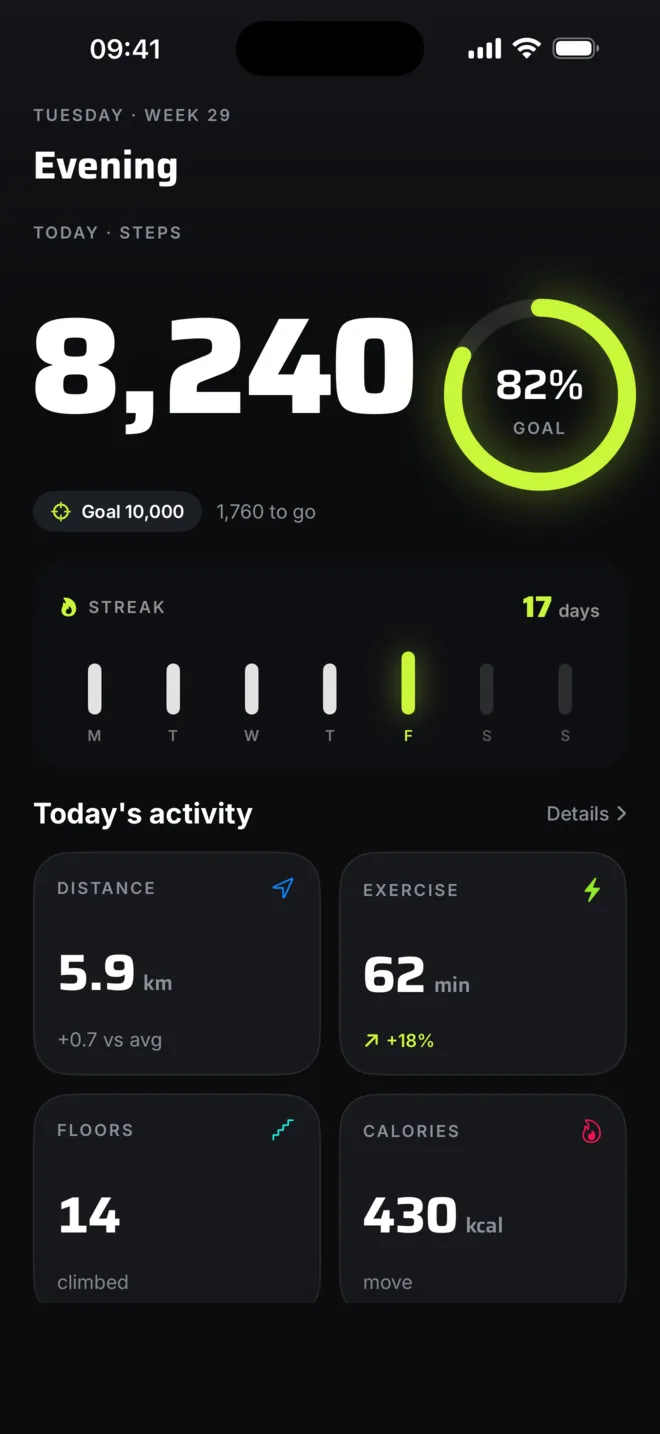
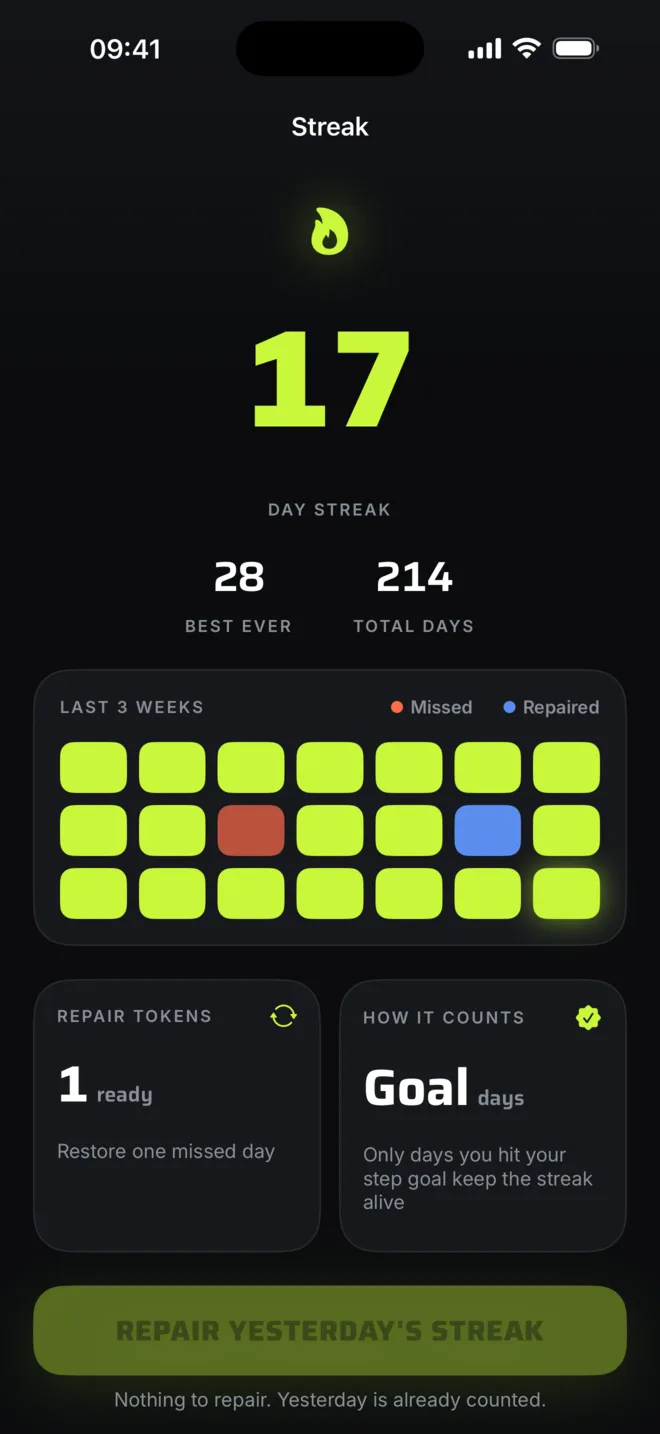
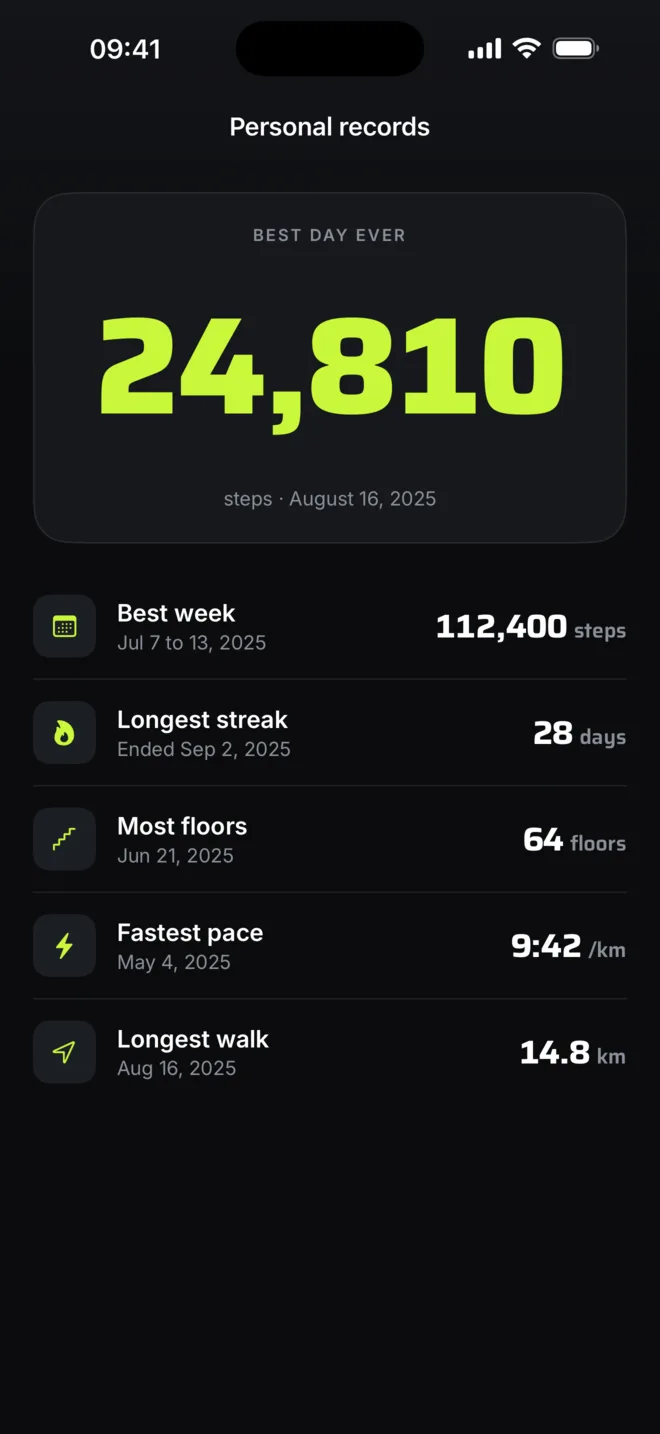
It works on iPhone alone, no Apple Watch needed, with widgets, a watch app, and live walk tracking that runs on the motion chip instead of GPS. On privacy it's strict: no account, nothing uploaded, health data never sent to analytics. On price it's honest: counting is free forever, and Flyback Premium ($3.99/month or $29.99/year, 7-day free trial) unlocks only the long-range extras, namely month, year and all-time trends, the calendar heatmap, personal records and adaptive goals.
How to choose in 30 seconds
- Happy with a plain chart and already have an iPhone? Apple Health is fine and free.
- Want a number you'll actually check, a goal, streaks and privacy without an account? Flyback is what we'd install.
- Live and breathe the Activity rings and wear a watch all day? Apple's Fitness app is built around that.
Whichever you pick, you already own the sensor. For more, see how to count steps without an Apple Watch and Flyback vs the Health app.