Cabine vs an online photo booth: which should you use?
A web photo booth opens in a second and asks nothing of you up front. An app keeps your photos on the phone and gives you a strip worth printing. Here is the honest trade-off.
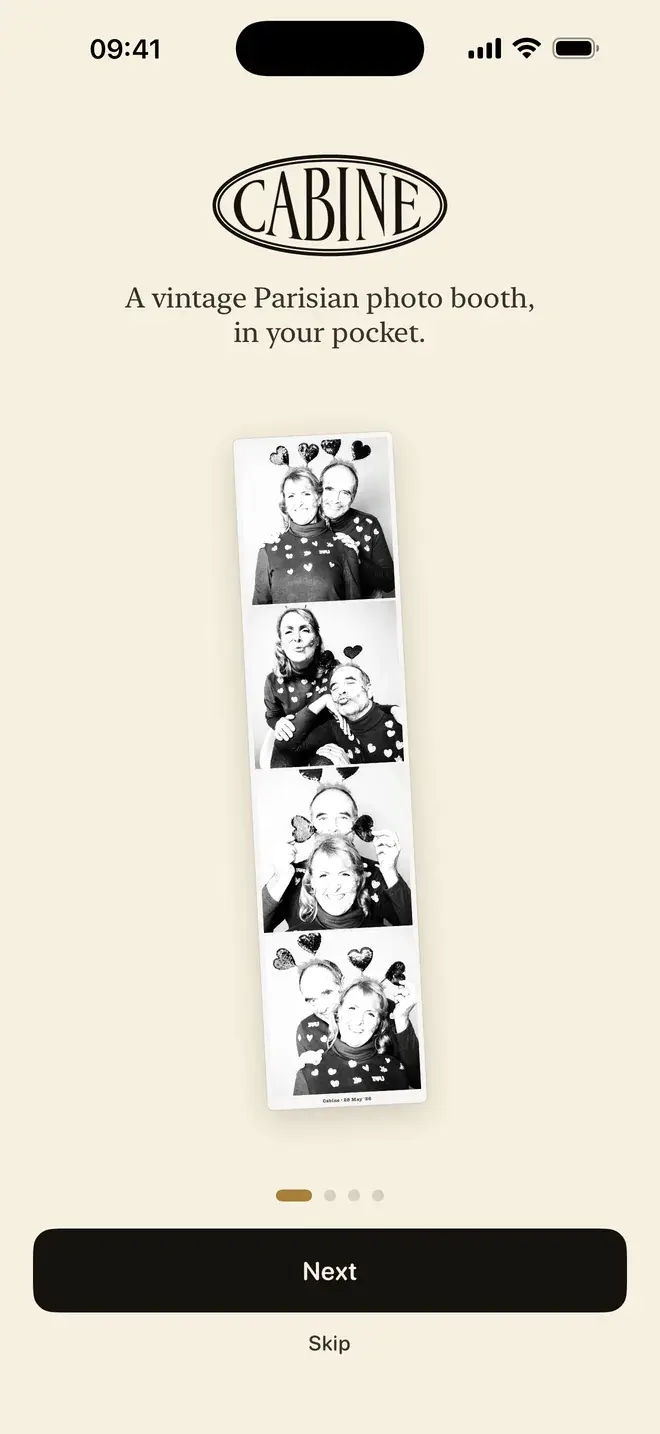
If you searched for a photo booth online, you probably want the quickest path to a strip of four frames. A browser tool is convenient: nothing to install, works on any device, done in a minute. The catch is what happens to your photos and what you can actually do with the result. The short version: use a web photo booth when you want a throwaway image on a shared computer and privacy is not a concern. Use Cabine when you want the frames to stay on your phone, a proper black-and-white strip rather than a colour filter, and the option to print it. Cabine is a native iOS app that runs entirely on the device, so nothing is uploaded to make your strip.
What does a web photo booth actually do?
Browser-based photo booths vary, but most share a rough shape. You open a page, allow camera access, take a few frames, and the site arranges them into a strip you can download. Some of these tools run entirely in your browser; others do the work on a server and upload your frames to process and composite them. Because it is often hard to tell which from the outside, using one usually means trusting the site with your photos.
Two things tend to follow from the web model. First, a free tier often adds a watermark to the finished image, or asks you to sign up before you can download a clean version. Second, printing is awkward: a website can hand you a file, but it cannot line up a physical strip the way a booth does, so you are left downloading an image and wrestling with a printer dialogue. None of this makes web tools bad. It is the trade for opening in a browser with nothing installed.
How is Cabine different?
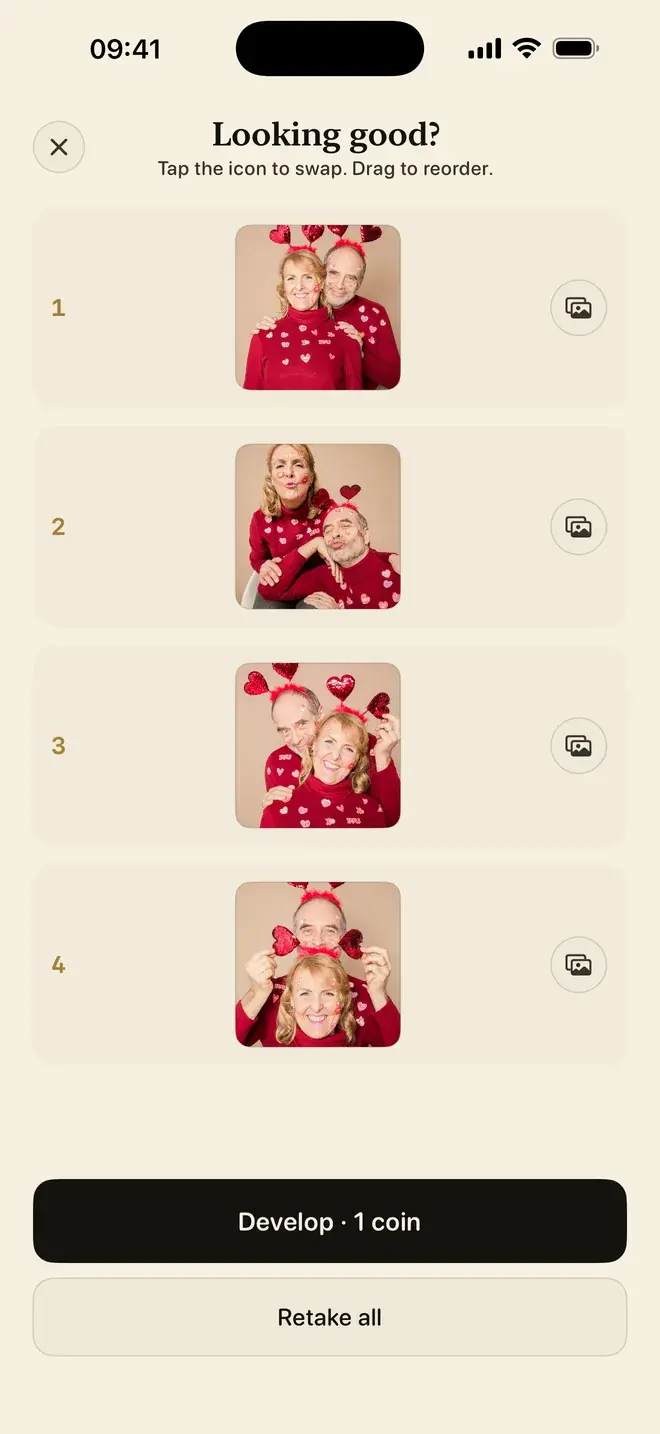
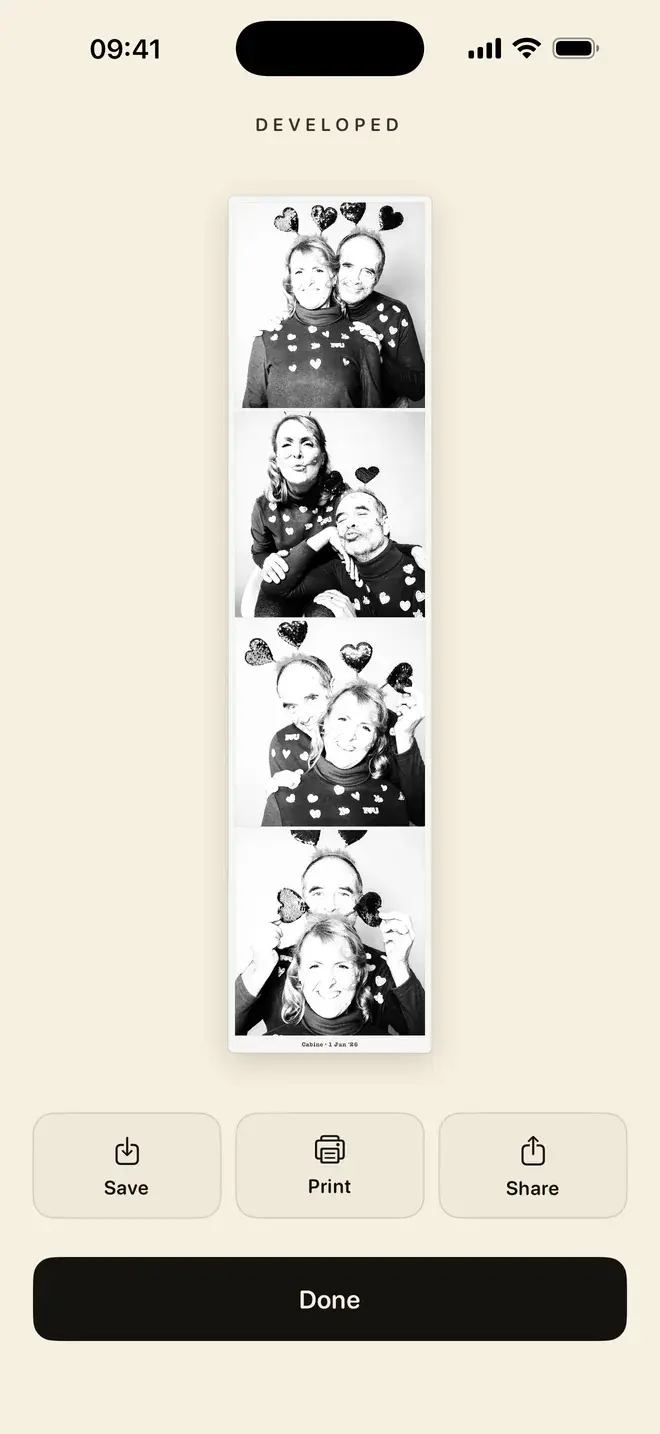
Cabine is built around the booth ritual rather than a quick export. You pose for four shots, three seconds apart, with a countdown and booth sounds between each frame, and they develop into a single strip. If you would rather not perform on cue, you can bring four photos you already have and arrange those instead.
The conversion to black and white is a real monochrome conversion, not a colour filter dropped on top, which is why the strips hold up when you print them. Finished strips go to a private library on the phone. From there you can share them anywhere, or print over AirPrint straight to a home printer. There is no account and no sign-up, and nothing you shoot leaves the device.
Web photo booth vs app: a side-by-side
| Online photo booth (browser) | Cabine (iOS app) | |
|---|---|---|
| Where photos are processed | Varies: some in your browser, some on a remote server | Entirely on your iPhone |
| Privacy / upload | May be uploaded, depending on the site | Nothing is uploaded; strips never leave the device |
| The booth ritual | Varies; often a plain capture | Four shots, three seconds apart, countdown and booth sounds |
| Black and white | Depends on the tool | A real monochrome conversion |
| Printing | Download a file, then print it yourself | Print a strip over AirPrint |
| Account | Free tier may need sign-up or add a watermark | No account, no sign-up, no ads |
| Cost | Varies by site | Free to download; first strip free, then one coin per strip |
| Where it runs | Any device with a browser | iPhone on iOS 17 or later |
Is a browser photo booth safe to use?
It depends on the site and how much you mind your face passing through someone else's server. For a quick laugh on a laptop that is not yours, a web tool is fine. If the photos are of your family, or you would rather they never touch a server, an on-device app closes that question entirely. We wrote more about the general principle in on-device photo editing and privacy. With Cabine there is no upload step to trust, because there is no upload.
Which should you pick?
Choose a web photo booth when you are on a desktop, need something in the next thirty seconds, and the result is disposable. Choose Cabine when you are on an iPhone and you want the frames kept private, a strip that looks right in black and white, and the ability to print it. If a printed strip is the goal, our guides on making a photo booth strip on iPhone and black-and-white photo strips walk through it, and you can compare native options in our roundup of the best photo booth apps.
Cabine is free to download, with no subscription and no ads. Posing, shooting and retaking are always free, and your first strip is on us. After that it works like a real booth: one coin, one strip.
Frequently asked questions
Is there a free online photo booth I can use in a browser?
Yes, several websites let you take a strip of photos in a browser with nothing to install. They are convenient, but many process your photos on a server, and free tiers may add a watermark or ask you to sign up before downloading a clean copy.
Do online photo booths upload my photos?
It depends on the site. Some run entirely in your browser and upload nothing; others composite your strip on a server, which means the frames are uploaded to be processed, and it is often hard to tell which from the outside. If you would rather your photos stay put, an on-device app like Cabine makes the strip on your iPhone and uploads nothing.
Can a web photo booth print a strip?
Not really. A website can give you an image file to download, but it cannot line up a physical strip the way a booth does. Cabine prints a strip directly over AirPrint to a home printer.
Is Cabine free?
Cabine is free to download, with no subscription and no ads. Posing, shooting and retaking are always free, and the first strip is free. After that it works like a real booth: one coin, a small in-app purchase, for each strip.
What do I need to run Cabine?
Cabine is an iOS app and requires iPhone running iOS 17 or later. It has no account or sign-up, and everything happens on the device.

Keep reading
The best photo booth apps for iPhone in 2026
A booth counts you down, takes what it takes, and hands you a strip. Here is how to find that on an iPhone, and which app to reach for.
How to make a photo booth strip on your iPhone
The classic four-frame strip, developed in black and white, made on your phone in about a minute.
Why on-device photo editing matters for privacy
On-device apps edit your photos on your iPhone and never upload them. Here's what that means, how to spot it, and how Filtray and Cabine work this way.