A DIY wedding photo booth with just an iPhone
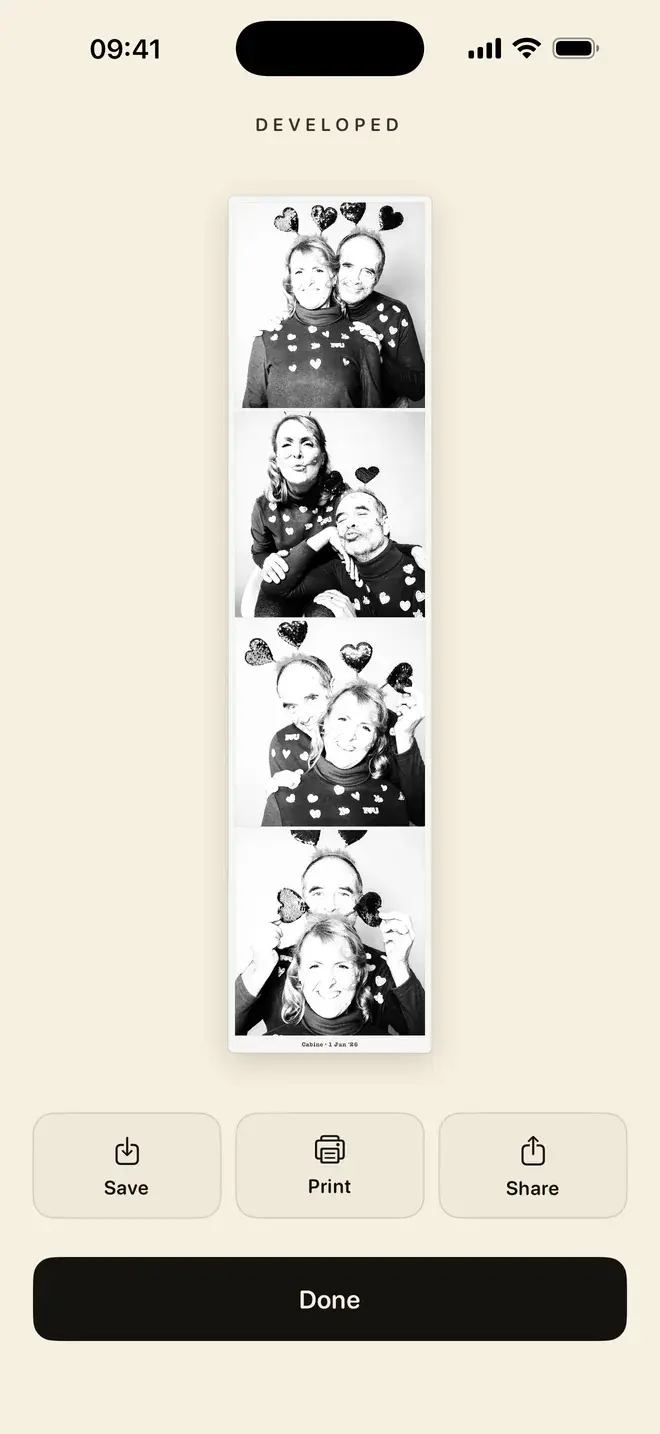
An iPhone on a stand, four poses, and a black-and-white strip to keep. No booth to rent, no attendant, no van.
A photo booth at a wedding used to mean hiring a machine, booking an attendant and clearing space for a delivery van. You can get the same thing from an iPhone on a stand: four poses, a countdown, a black-and-white strip to keep. It costs a fraction of a rented booth, tucks into a corner of the room, and the strips come out looking like the real thing.
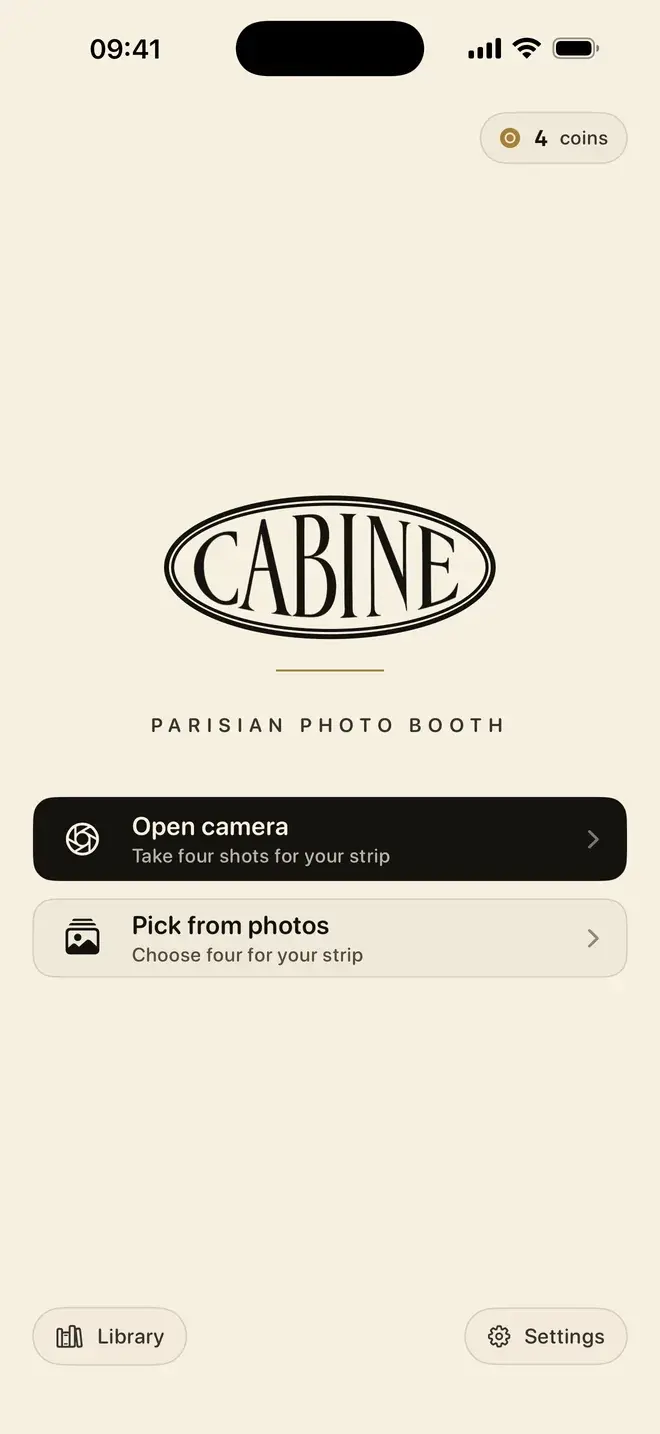
The short version: mount a phone at face height in front of a plain backdrop with decent light, open Cabine, and let guests tap once to start. Four shots later they have a monochrome strip they can save, share, or print on the spot as a favour. Here is how to set it up properly.
Why does an iPhone make a good wedding photo booth?
Because the constraints are the point. A booth counts you down whether you are ready or not, and that is most of the charm: four frames, slightly wrong, unmistakably yours. A phone running a booth app keeps that feeling and adds a few practical advantages:
- It is charming, not slick. Guests pose for four shots and get a real black-and-white strip, not a glossy composite. It reads as a booth, not a camera roll.
- It is cheap to run. There is nothing to rent by the hour and no minimum booking. The phone is one you already own.
- Everyone leaves with a keepsake. A strip is a small, tactile thing people actually keep: in a wallet, on a fridge, tucked into a card home to grandparents.
What you need for a DIY booth
- An iPhone running iOS 17 or later, with Cabine installed.
- A small tripod or phone stand that reaches roughly face height.
- A simple backdrop: a plain wall, a hung sheet, a curtain, or a length of fabric.
- Decent, even light. A window in daylight, or a soft lamp after dark.
- A small printed sign with instructions.
- Optional: an AirPrint-capable printer nearby if you want strips as favours, plus a basket of props.
How do you set up the booth?
Put the phone at face height
Cabine shoots on the front camera so guests can see themselves, which means positioning the phone as if it were a mirror. Face height, screen towards the room, tripod steady. If it sits too low it flatters no one; too high and everyone is looking up. Aim the frame so two people standing close together both fit comfortably.
Get the light right
Monochrome is unforgiving about shadows, so even light matters more than bright light. Face the setup towards a window during the day. In the evening, put a soft lamp behind or beside the phone rather than overhead, and avoid a single harsh spotlight that carves shadows under the eyes. A little warmth from the room is fine, since the strip develops in black and white regardless.
Keep the backdrop simple
A plain, slightly textured backdrop reads best: a painted wall, a linen sheet, a velvet curtain. Busy patterns fight with faces once the colour is gone. Leave a step or two of space between the guests and the backdrop so nobody is pressed flat against it.
Write a clear sign
The booth runs itself if the sign does its job. Something like: Tap Open camera. Pose for four shots, three seconds apart. Your strip develops in black and white, so save it or print one to take home. A short line telling guests they can retake as many times as they like takes the pressure off.
How do guests take a strip?
They tap Open camera and pose. Cabine takes four shots, three seconds apart, with a countdown and booth sounds between each one, then develops them into a single black-and-white strip: a real monochrome conversion, not a colour filter dropped on top. Each finished strip lands in a private library on the phone, ready to save, share, or print. If a group wants a do-over, posing, shooting and retaking are always free, so they can go again until they are happy. For the full walkthrough, see how to make a photo booth strip on iPhone.
Can you print the strips at the party?
Yes. This is where a DIY booth starts to feel like the real thing. Cabine prints over AirPrint, so if there is a compatible printer on the same Wi-Fi, a guest can send their strip straight to it and walk away with a physical keepsake. Set the printer up on a side table near the booth with a note that says print yours to take home, and the strips double as wedding favours that cost only paper and ink. If you would rather not print on the night, guests can still share their strip to themselves and print later.
What does a DIY booth cost to run?
Very little. Cabine is free to download, with no subscription and no ads, and the first strip is free. After that it works like a real booth: one coin (a small in-app purchase) for one strip. Posing, shooting and retaking never cost anything, so guests only spend when they keep a strip they love. Each strip a guest keeps is a small one-off purchase, so it is worth settling in advance whether they cover that or you do.
It is also private by design. Everything is captured and developed on the phone, and nothing is uploaded. No strip of your guests ever leaves the device or passes through anyone else's servers. That matters at a wedding, where the photos are of people who did not sign up for anything.
A booth that fits in a corner
The whole setup is a phone, a stand, a backdrop and a sign. It takes ten minutes to build and runs itself all night, and every guest who steps up leaves with something to keep. If you want to compare a few options before the day, we rounded up the best photo booth apps for iPhone. For real strips with nothing to rent, Cabine is built for exactly this.
Frequently asked questions
How do I make a DIY wedding photo booth without renting one?
Mount an iPhone at face height on a small tripod in front of a plain, well-lit backdrop, and run a booth app like Cabine. Guests tap to start, pose for four shots, and get a black-and-white strip they can save or print. There is no machine to rent and no attendant needed.
Can guests print photo booth strips at the party?
Yes. Cabine prints strips over AirPrint, so if there is a compatible printer on the same Wi-Fi network, guests can send a strip straight to it and take a physical copy home. Set the printer on a side table near the booth so the strips work as favours.
Is Cabine free to use for a party photo booth?
Cabine is free to download with no subscription and no ads, and the first strip is free. Posing, shooting and retaking are always free; after the first strip it works like a real booth, one coin per strip, where a coin is a small in-app purchase. Each strip a guest keeps is a small one-off purchase, so decide in advance whether guests cover it or you do.
Do the photos leave the phone or get uploaded anywhere?
No. Every shot is captured and every strip is developed on the device itself, and nothing is uploaded. Your guests' photos never leave the phone or pass through anyone else's servers.
What do I need to set up an iPhone photo booth for a wedding?
An iPhone on iOS 17 or later with Cabine installed, a small tripod at face height, a simple backdrop, even light, and a printed sign with instructions. Optionally add an AirPrint printer for strips as favours and a basket of props.

Keep reading
How to make a photo booth strip on your iPhone
The classic four-frame strip, developed in black and white, made on your phone in about a minute.
The best photo booth apps for iPhone in 2026
A booth counts you down, takes what it takes, and hands you a strip. Here is how to find that on an iPhone, and which app to reach for.
The quiet appeal of a black-and-white photo strip
Why monochrome strips look so good, and how to make a proper one on your iPhone.