How to get a film look on iPhone photos
The film look is muted colour, gentle grain and softly faded blacks. Here is how to get it on your iPhone, and how to keep it subtle.
A film look comes from a few specific things: muted, less saturated colour; a fine layer of grain; blacks that lift slightly rather than going fully dark; and a warm or cool cast laid over the whole frame. You can get there on an iPhone in seconds. Pick a film or analog filter in Filtray, then ease the intensity back until it reads as film rather than fancy dress.
This guide covers what the look actually is, which filters get you there, and how to keep it subtle enough to pass.
What actually makes a photo look like film?
Digital sensors are clean, sharp and highly saturated by default. Film was none of those things, and the look people chase is really the sum of film's limitations:
- Muted colour. Film held colour more gently than a phone sensor. Greens and blues sit back; skin tones stay warm rather than vivid.
- Gentle grain. A fine texture across the frame, strongest in the mid-tones. It is the single most recognisable film signature.
- Faded, lifted blacks. Instead of pure black, the shadows settle at a soft charcoal. This is what gives film photos their calm, slightly hazy feel.
- A colour cast. A warm amber tilt for a sunny, nostalgic mood, or a cooler green-blue tilt for something more clinical and cinematic.
A good film filter applies all four together. That is why dropping a single warm adjustment on a photo rarely convinces: the grain and the lifted blacks are doing as much work as the colour.
Which Filtray categories give a film look?
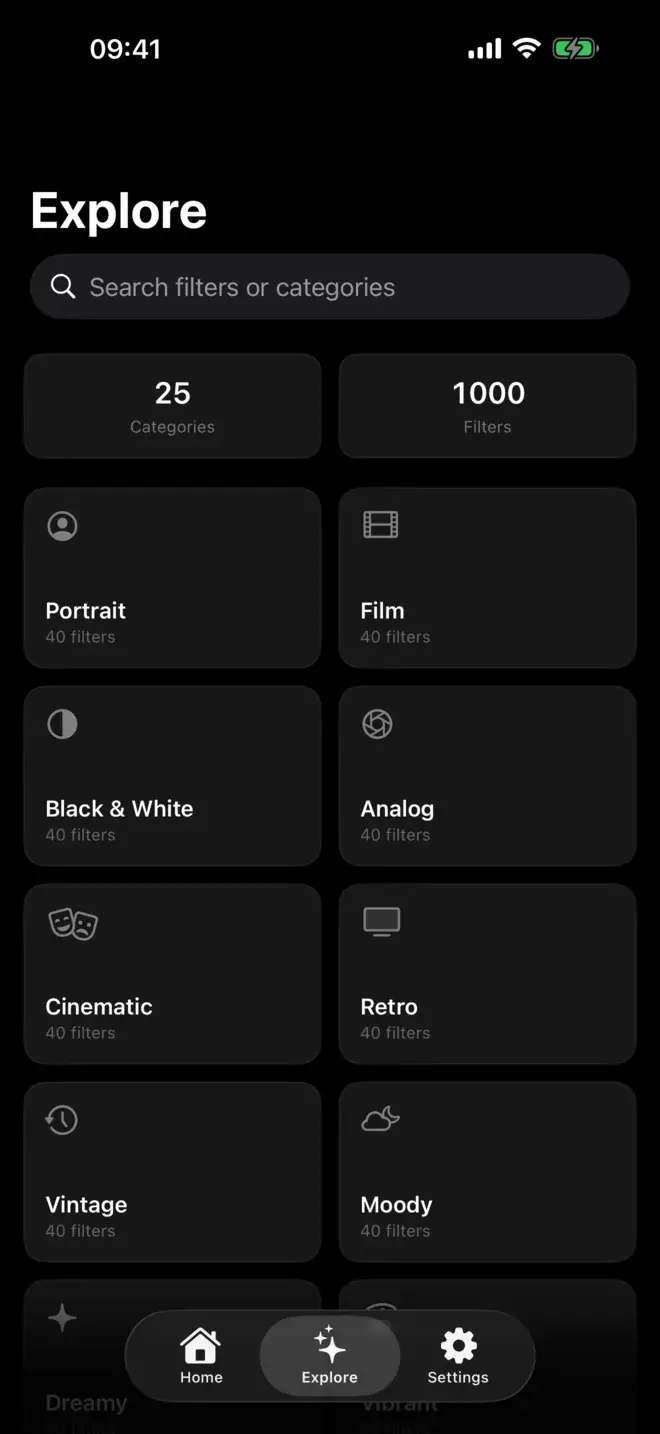
Filtray has 25 categories of 40 filters each, and four of them are aimed squarely at this. They overlap, but each leans a different way:
| Category | Leans towards | Good for |
|---|---|---|
| Film | Balanced emulation: muted colour, fine grain, soft blacks | An everyday, true-to-film base for most shots |
| Analog | Stronger grain and colour shifts, a hand-processed feel | Street scenes, still life, anything you want to feel tactile |
| Vintage | Warmer casts and heavier fading, an older-photo mood | Portraits and sunlit shots with a nostalgic pull |
| Retro | Bolder, more stylised colour, a period rather than a stock | When you want the look to be obvious, not subtle |
Start in Film or Analog if you want something believable, and move to Vintage or Retro when you want the effect to be part of the picture. Each category holds forty options, so there is room to find the exact stock and mood rather than settling for one blanket film filter.
How do you add film grain without overdoing it?
The most common mistake is leaving a filter at full strength. Film filters look their best pulled back, enough to shift the mood, not so much that the grain turns to noise and the colours go flat.
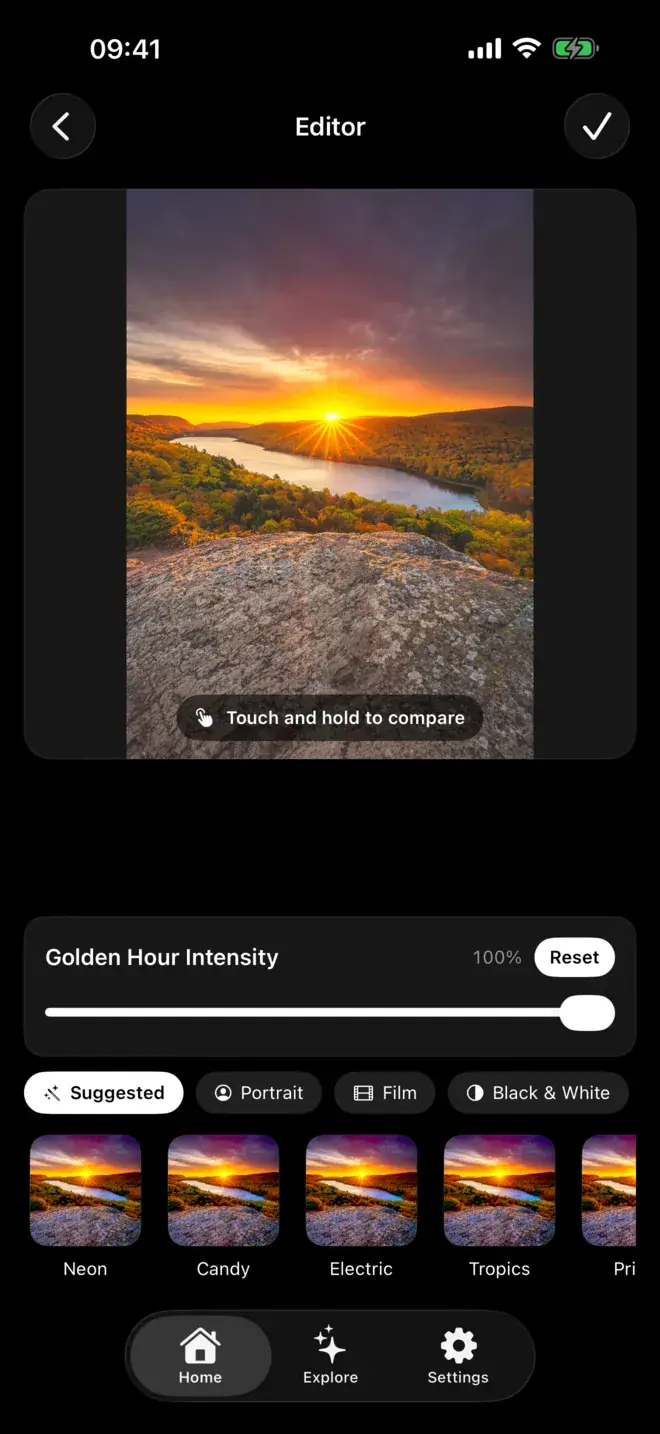
Every filter in Filtray has an intensity slider. Apply the look, then drag it down and watch the grain and the cast ease off together. For most photos the sweet spot sits well below the maximum; the aim is a shot that looks like it was taken on film, not a shot that has obviously had a filter dropped on it.
Touch and hold anywhere on the image to compare against the original. Flicking between the two is the quickest way to judge whether you have gone too far. If the filtered version suddenly looks heavy next to the original, ease the slider back a notch.
How do you match the look to the shot?
Not every film stock suits every photo. A warm vintage cast that flatters a golden-hour portrait can look wrong on an overcast street scene. Filtray helps here: its on-device AI reads the photo first (brightness, colour, faces and mood) and reorders the filters so the ones that suit it appear first.
In practice that means the film and analog looks that fit your particular shot float to the top of each category, so you are choosing from a shortlist rather than swiping through forty. Faces in frame bring portrait-friendly looks up; warm evening light brings the warmer stocks up. If you mostly shoot people, our guide to the best filters for portrait photos goes deeper on that.
Film-inspired preset apps like VSCO built their name on this style; VSCO pairs its presets with editing tools behind a paid membership tier, and if you are weighing them up we compare Filtray and VSCO directly.
Does the film look survive export?
It does. Filtray exports at full resolution with no watermark, so the grain and colour you dialled in are exactly what lands in your camera roll: nothing stamped in the corner, no downscaling.
Everything happens on your iPhone. Photos are never uploaded, there is no account and no sign-up, and the AI analysis runs on the device in milliseconds. If that matters to you, we wrote more on on-device photo editing and privacy. Three filters in every category are free, so you can try a film, analog, vintage and retro look before deciding; Filtray Pro unlocks all 1,000. It requires iOS 18 or later.
Frequently asked questions
How do I make my iPhone photos look like film?
Apply a film, analog, vintage or retro filter in an app like Filtray, then lower the intensity until the muted colour, grain and softly faded blacks read as film rather than a heavy effect. Filtray runs on iPhones with iOS 18 or later.
What actually gives a photo the film look?
Four things working together: muted, less saturated colour; a fine layer of grain; blacks that lift to a soft charcoal instead of going pure black; and a warm or cool colour cast across the whole frame.
How do I add film grain to a photo without it looking overdone?
Use a filter's intensity slider and pull it well back from maximum. Grain looks best when it is subtle; past a point it turns into noise and the colours go flat. In Filtray you can touch and hold the image to compare with the original as you adjust.
What is a good analog film filter app for iPhone?
Filtray includes dedicated Film, Analog, Vintage and Retro categories with 40 filters each, plus on-device AI that puts the looks best suited to your photo first. Exports are full-resolution with no watermark.
Do film filters lower photo quality or add a watermark?
Not in Filtray. It exports at full resolution with no watermark and no downscaling, and all processing happens on the device without your photos being uploaded.

Keep reading
The best filters for portrait photos on iPhone
A good portrait filter flatters a face without announcing itself. Here is what to look for, and how to get there in a few taps.
Filtray vs VSCO: an honest comparison
Two very different routes to a better photo. Here is how Filtray and VSCO compare, and which one to choose.
How AI filter suggestions work
Why a good filter app can look at your photo and put the right presets first, instead of leaving you to scroll.