How AI filter suggestions work
Why a good filter app can look at your photo and put the right presets first, instead of leaving you to scroll.
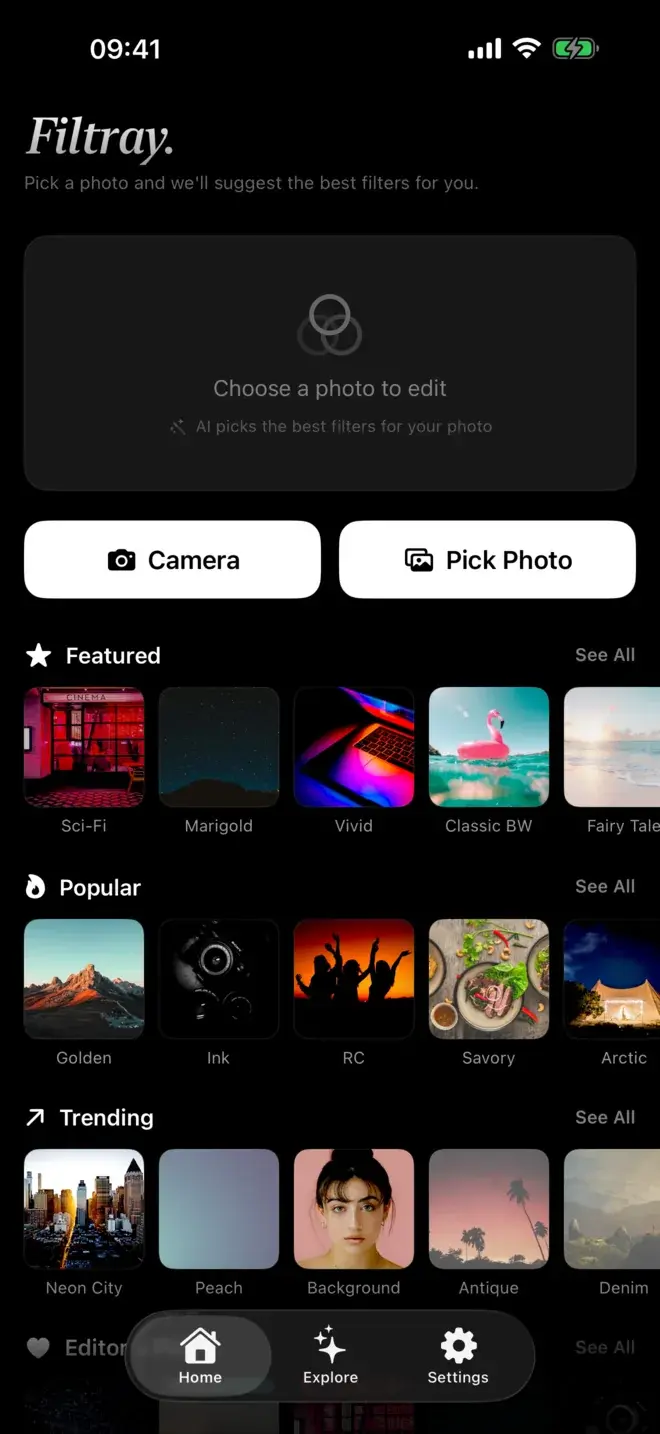
Open most filter apps and you meet the same thing: a grid of presets, dozens of them, and no real clue which one suits the photo in front of you. You swipe past looks that were never going to work, then settle for the least wrong one. Filtray takes a different route. Before you scroll anything, its on-device AI looks at your photo and moves the filters that fit it to the front, so the first few you see are already close.
The short version: the app measures a handful of things about your image: how bright it is, its colours, whether there are faces, the overall mood. Then it reorders its filter library so the best-suited presets appear first. It all happens on your iPhone in milliseconds, and your photo is never uploaded.
What does it mean for an app to "read" your photo?
"Reading" a photo sounds mysterious, but in practice it is a few plain measurements. Filtray looks at:
- Brightness. Is the shot bright and airy, or dark and low-key? A high-contrast night scene wants very different treatment from a bright beach photo.
- Colour. The dominant tones (warm golden light, cool blue shade, muted greens) say a lot about which filters will flatter the image and which will fight it.
- Faces. The app can tell when people are in the frame, which is a strong signal that portrait-friendly looks belong near the top.
- Mood. Taken together, those signals point at a feel: moody and cinematic, soft and nostalgic, clean and modern.
None of this involves identifying who is in the photo or sending anything anywhere. It is pattern-reading, the same broad idea your camera already uses when it decides where to focus.
How does Filtray decide which filters to show first?
Once it has those measurements, Filtray matches them against its library of a thousand filters, grouped into twenty-five categories of forty. Two quick examples make the idea concrete:
- Faces in frame. Portrait looks come up first: filters tuned for skin, warmth and gentle contrast, so a picture of a person lands on flattering options before anything else. If you want to go deeper here, see the best filters for portrait photos.
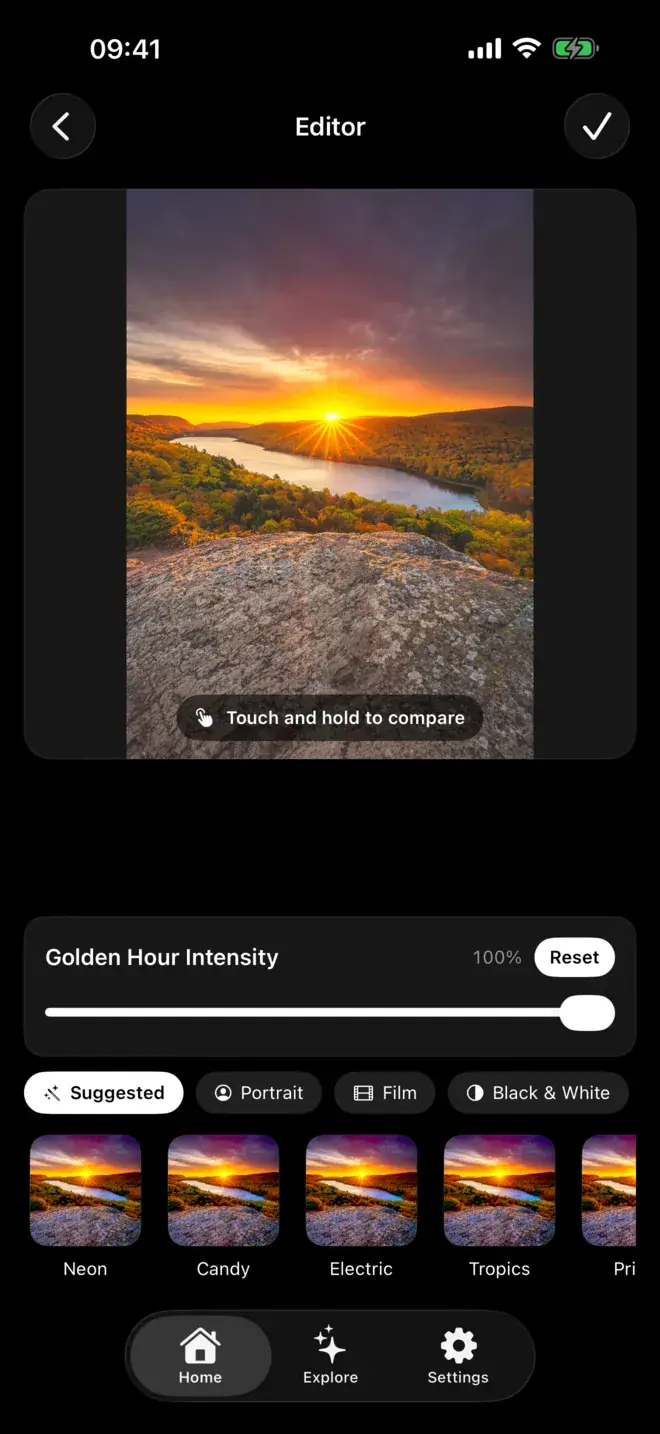
- Golden-hour light. When the photo is full of warm, low evening sun, the warm and film-leaning looks rise to the top, because those are the ones that will build on the light rather than flatten it. That is also the shortcut to a film look on iPhone photos.
The full library is still there. Suggestions do not hide anything or lock you into one style. They change the order so the promising options are the ones you meet first. You are always free to browse every category by hand.
Does the analysis happen on my phone?
Yes. Everything runs on the iPhone itself, and the whole read takes milliseconds. The suggestions are there by the time the photo loads. Nothing is uploaded to a server, there is no account and no sign-up, and your library stays on your device. If on-device processing matters to you, we wrote more about why on-device photo editing is better for privacy.
The practical upside beyond privacy: it works with no connection, there is no waiting on a round trip to the cloud, and the same photo gives the same considered order every time.
How do you actually use it?
The flow is deliberately short:
- Pick a photo. Choose any shot from your library.
- See the best-suited filters first. The AI has already reordered the list, so the strongest matches are at the front.
- Tweak with the intensity slider. Every filter has one. Ease it back for a subtle touch or push it for a bolder look.
- Touch and hold to compare. Press and hold to see the original underneath, so you can judge the change honestly before you commit.
When you export, the result comes out at full resolution with no watermark stamped in the corner.
Hunting through presets vs suggestions
The difference is less about how many filters exist and more about the order you meet them in.
| Step | Hunting through presets | Filtray suggestions |
|---|---|---|
| Where you start | A full grid, no order to it | Best-suited looks already first |
| Effort | Swipe through dozens that don't fit | A short list to choose from |
| For a portrait | You scroll until you find skin-friendly looks | Portrait looks rise to the top |
| For golden hour | You guess which warm preset works | Warm and film looks lead |
| Where it runs | Varies by app; some upload | On the iPhone, nothing uploaded |
What you get free, and what Pro adds
Filtray is free to try in a real way: you get three filters in every one of the twenty-five categories, no account required. Filtray Pro unlocks all one thousand filters and turns on suggestions for every photo. If you mostly want a quick, well-chosen look without scrolling, that is the part Pro is built around.
Filtray needs iOS 18 or later. If you have been meaning to stop hunting through presets, this is the shortcut: pick a photo, and the app does the first pass of choosing for you.
Frequently asked questions
How do AI photo filters work?
An AI filter tool measures things about your photo: brightness, dominant colours, whether faces are present and the overall mood. It then uses those signals to suggest or reorder filters that suit the image. In Filtray this analysis runs entirely on the iPhone in milliseconds, and the photo is never uploaded.
Is there an app that picks filters for you?
Yes. Filtray reads your photo on the device and puts the best-suited filters first, so you choose from a short list instead of scrolling a full grid. You can still browse all 1,000 filters by hand if you prefer.
Does Filtray upload my photos to suggest filters?
No. All of the analysis happens on your iPhone. Nothing is uploaded, there is no account and no sign-up, and your photos stay on your device.
Can I adjust a suggested filter?
Every filter has an intensity slider so you can make it subtler or stronger, and you can touch and hold to compare the edit against the original before you export.
Is Filtray free?
Filtray is free with three filters in every category and no account needed. Filtray Pro unlocks all 1,000 filters and enables AI suggestions on every photo. It requires iOS 18 or later.

Keep reading
The best filters for portrait photos on iPhone
A good portrait filter flatters a face without announcing itself. Here is what to look for, and how to get there in a few taps.
How to get a film look on iPhone photos
The film look is muted colour, gentle grain and softly faded blacks. Here is how to get it on your iPhone, and how to keep it subtle.
Filtray vs VSCO: an honest comparison
Two very different routes to a better photo. Here is how Filtray and VSCO compare, and which one to choose.