Filtray vs Adobe Lightroom (mobile)
One is a full professional editor. The other gives you a finished look in a tap. Here's how to decide which belongs on your phone.
The short answer is that these two apps are not really competing. Adobe Lightroom on mobile is a professional editor: you open a photo and shape it by hand, adjustment by adjustment. Filtray goes the other way, reading the photo and offering finished looks you can apply in a single tap. If you already know which one that makes sense for, you can stop here. If not, the rest of this is the honest comparison.
Filtray vs Lightroom at a glance
Both live on the iPhone and both make photos look better, but they ask very different things of you. One expects you to make the decisions; the other makes a first pass for you.
| Adobe Lightroom (mobile) | Filtray | |
|---|---|---|
| Primary job | Full manual editing, start to finish | Fast, finished looks in one tap |
| Learning curve | Real: plenty of controls to learn | None: pick a photo, pick a look |
| RAW + manual tone/colour | Yes, fine-grained control | No: it styles the finished image |
| Masking / selective edits | Yes | No |
| Presets / filters | Presets, including imported ones | 1,000 filters across 25 categories |
| AI suggestions | No | On-device AI reorders filters to suit the photo |
| Intensity control | Per-adjustment | One slider per filter |
| Cloud / account | Cloud sync; Adobe account | Runs on device; no account, no sign-up |
| Cost | Adobe subscription for full features | Free tier; Pro unlocks all 1,000 filters |
| Platform | iOS, Android and desktop | iOS 18 or later |
What does Lightroom do well?
Lightroom is Adobe's professional editor, and it earns that description. It reads RAW files, so you can recover detail from a highlight or a shadow that a finished JPEG has already thrown away. It gives you manual control over tone and colour (exposure, contrast, white balance, individual hue and saturation channels), and it supports masking and selective edits, so you can brighten a face without touching the sky behind it. It ships with presets, lets you import more, and offers cloud sync so an edit you start on your phone shows up on your other devices.
The trade is a learning curve and an Adobe subscription for the full feature set. None of that is a flaw; it is what a serious editor looks like. If you want to build a picture deliberately, that control is the point.
What does Filtray do differently?
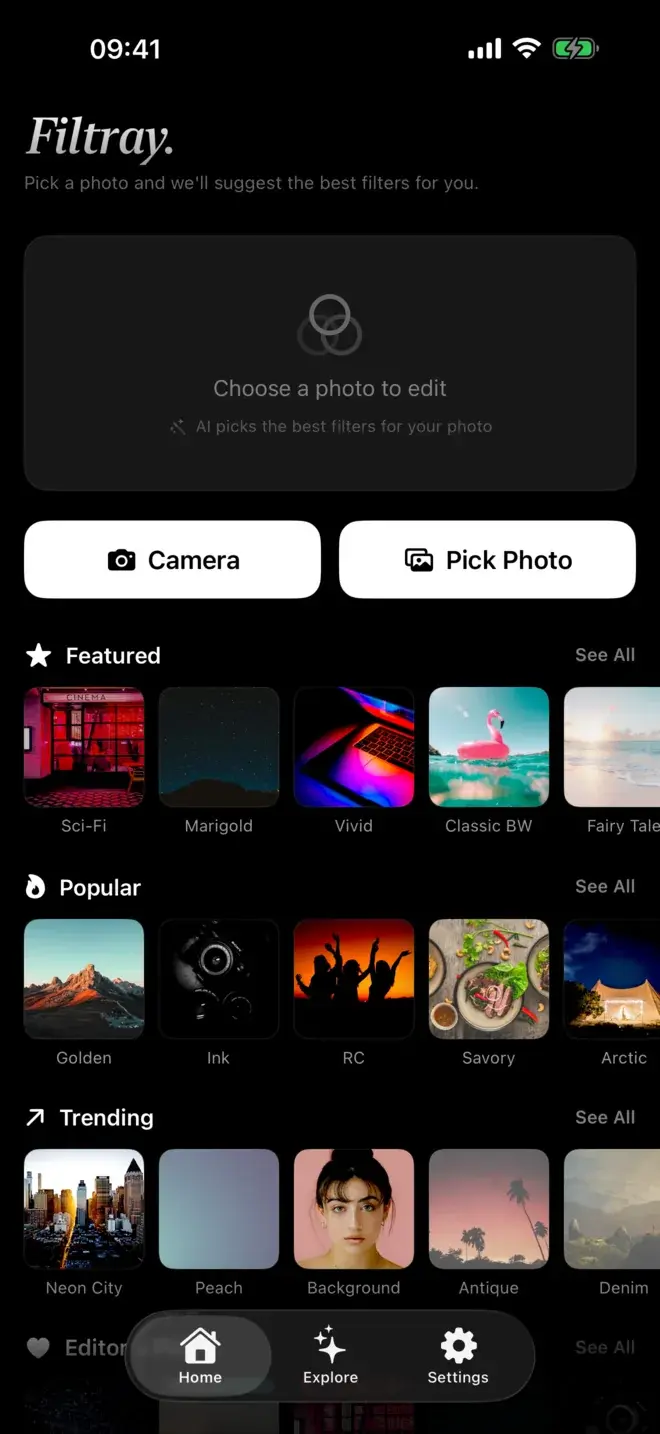
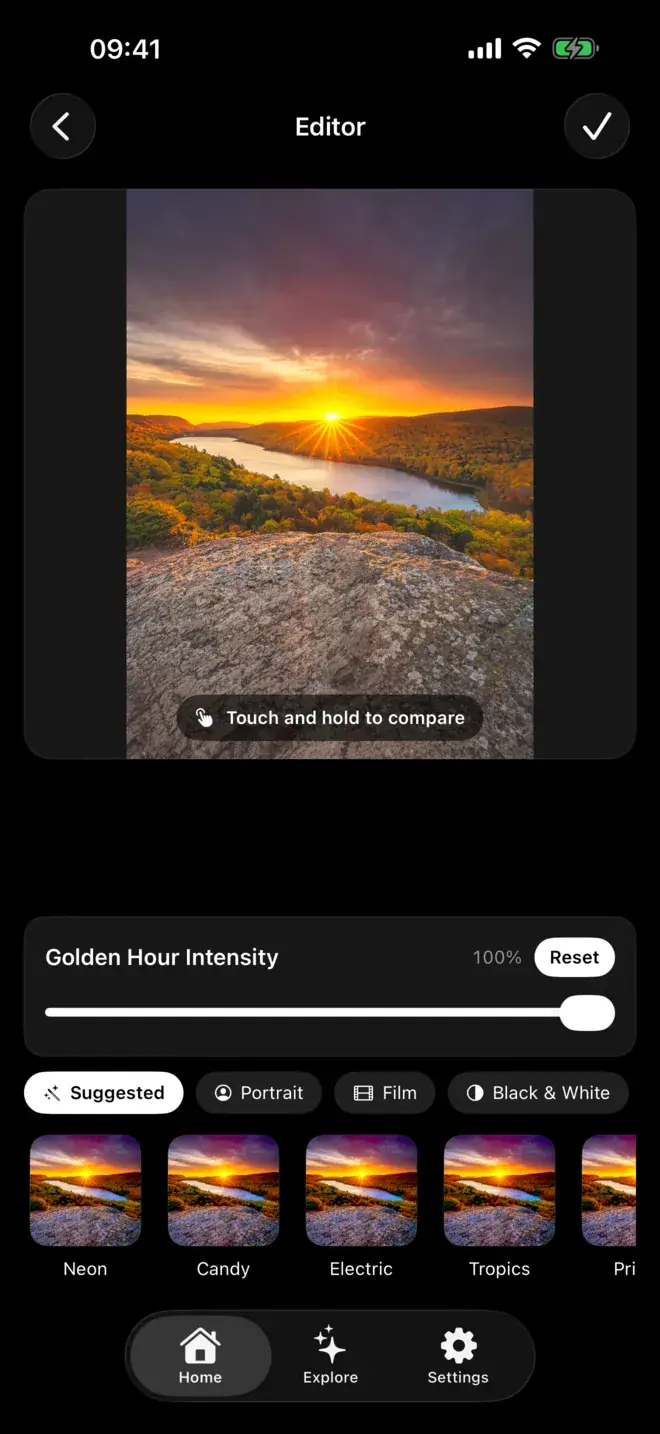
Filtray is not trying to be an editor. It is a filter app that puts the right filter in front of you. Pick a photo and its on-device AI looks at the brightness, colour, faces and mood, then reorders its 1,000 filters so the best-suited appear first. Faces in the frame bring portrait looks up; golden-hour light brings the warm ones up. That analysis happens on the iPhone in milliseconds, and your photos are never uploaded. There is no account and no sign-up.
Every filter has an intensity slider, and a touch-and-hold compares against the original, so you are never guessing at what changed. Exports come out at full resolution with no watermark. You can read more about how the suggestions work if that part interests you.
Do you actually need RAW and manual control?
This is the question that decides it. If you shoot in RAW, dodge and burn by hand, or want to fix one part of a photo without affecting the rest, Lightroom is built for exactly that and Filtray is not. Filtray works on the finished image and applies a whole look at once; it will not let you paint a mask or pull a single colour channel.
But most photos on most phones do not need that. They need a look that suits them, chosen quickly, without swiping through a long list of presets. That is the gap Filtray fills. If you are after a particular aesthetic rather than a particular adjustment, say a film look on iPhone photos, a finished filter gets you there in seconds.
Which should you pick?
Pick Lightroom if you shoot RAW, you want manual control over tone and colour, you rely on masking and selective edits, you want your library synced across devices, and you are happy to learn the tools and pay the subscription for them.
Pick Filtray if you want a good result fast, you would rather choose from finished looks than build one, you like the idea of the app suggesting filters that suit each photo, and you would prefer everything to stay on your phone with no account. It needs iOS 18 or later, and three filters in every category are free to try before Pro unlocks the rest.
Can you use both?
Comfortably. Some people keep Lightroom for the shots they want to work on properly and reach for Filtray for the everyday ones that just need a look. They are not rivals so much as different tools for different moods. If you are still weighing options, our Filtray vs VSCO comparison and the wider best filter apps for iPhone roundup cover the rest of the field, and there is more on the on-device, private side of how Filtray handles your photos.
Frequently asked questions
Is Filtray a good Lightroom alternative on iPhone?
It depends on what you want. Filtray replaces the preset side of Lightroom with one-tap, AI-suggested finished looks and no learning curve. It does not replace Lightroom's RAW editing, manual tone and colour controls, or masking, so if you need those Lightroom is still the tool for the job.
What is the difference between Filtray and Lightroom mobile?
Lightroom is a professional editor built around manual control, RAW files, masking and cloud sync, tied to an Adobe subscription. Filtray is a filter app: its on-device AI reads each photo and reorders 1,000 filters so the best-suited appear first, with no account and nothing uploaded.
Does Filtray support RAW files or manual editing?
No. Filtray applies finished looks to your photo and gives each filter an intensity slider, but it does not offer RAW editing or manual tone, colour and masking controls. For that kind of hands-on work, a full editor like Lightroom is the better fit.
Does Filtray need an account or subscription?
There is no account and no sign-up, and everything runs on the device. Three filters in every category are free; Filtray Pro unlocks all 1,000 filters and suggestions on every photo. Filtray requires iOS 18 or later.
Can I use Filtray and Lightroom together?
Yes. Many people keep Lightroom for photos they want to edit in depth and use Filtray for quick, everyday looks. They do different jobs, so there is no conflict in having both installed.

Keep reading
Filtray vs VSCO: an honest comparison
Two very different routes to a better photo. Here is how Filtray and VSCO compare, and which one to choose.
The best photo filter apps for iPhone in 2026
There is no single best filter app, only the best one for what you are trying to do. Here is how the main options compare, and who each one suits.
How to get a film look on iPhone photos
The film look is muted colour, gentle grain and softly faded blacks. Here is how to get it on your iPhone, and how to keep it subtle.